

Explore Simple Software Driver Topics
Browse clear educational guides about common driver categories and understand how different hardware parts communicate with a computer system. Our library is designed to be comprehensive and easy to navigate.
Printer Drivers
Printer drivers are specialized software programs that convert the data from your computer into a format that a specific printer can understand. They manage everything from page layout to ink management and paper tray selection.
Audio Drivers
Audio drivers are specialized software components that act as the essential bridge between your computer's operating system and its sound hardware. They ensure that digital audio data is accurately converted into audible sound waves for speakers and headphones, while also managing clear input from microphones.
Scanner Drivers
Scanner drivers are the software interface that allows your computer to control scanning hardware. They manage the movement of the scanning head, the sensitivity of the optical sensors, and the conversion of light into digital image files.
Audio & Video Drivers
Audio and video drivers are essential software components that enable your computer to process sound and display high-quality visuals. They manage the communication between your operating system and hardware like speakers, microphones, and monitors.
Chipset Drivers
Chipset drivers are the fundamental software components that manage the communication between your computer's processor (CPU) and all other hardware on the motherboard. They act as the "instruction manual" for the motherboard's integrated circuits.
Graphics Drivers
Graphics drivers, also known as Video Drivers or Display Drivers, are the most critical software components for your visual experience. They control how your computer's graphics processing unit (GPU) renders images, videos, and animations on your screen.


Learn Software Driver Topics in a Simple Way
How To Guide explains software driver topics in a clear educational way. Our content helps users understand how drivers connect hardware parts with a computer system. We focus on neutral, safe, and easy-to-digest information.
Driver Learning Modules
Learn how printer, scanner, audio, chipset, display, and network drivers help devices communicate with a computer.
Simple Driver Articles
Read beginner-friendly guides written in plain English without download, install.
Safe Educational Guidance
Understand common driver terms, device behavior, and system communication in a clear and safe learning format.
The Link Between Your OS and Hardware
Software drivers work as a communication bridge between the operating system and hardware devices. They help the system understand how to manage printers, audio, display, scanners, and other connected parts.
Explore Driver GuidesOperating System
The OS sends commands and manages how software interacts with computer hardware.
Software Driver
The driver translates OS instructions into signals the specific device can understand.
Hardware Device
Devices like printers, scanners, audio cards, and displays respond through driver signals.
Common Driver-Related Symptoms
Driver-related symptoms can appear in different ways, such as no sound, unstable WiFi, display issues, printer recognition problems, or connected devices not responding properly.
Explore Common TopicsNo Sound Output
Speakers or headphones may stay silent.
WiFi Instability
Wireless networks may drop or disappear.
Printer Recognition
Printer may connect but not show clearly.
Display Flickering
Screen may flicker or blackout.
USB Malfunction
USB devices may not appear properly.
Pairing Failures
Bluetooth pairing may fail or disconnect.
Latest Educational Articles
Read simple educational articles about software drivers, hardware communication, and common driver terms in a beginner-friendly way.

What Software Drivers Do Inside a Computer System
Learn how software drivers create a communication path between the operating system and hardware devices in a simple educational way.

How Hardware and Operating Systems Communicate
Understand the basic relationship between hardware devices, operating systems, and driver communication layers.
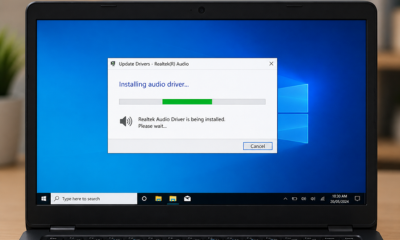
Common Signs of Driver-Related Device Behavior
Explore common symptoms that may appear when a device and computer system are not communicating smoothly.
Common Questions About Software Drivers
Learn simple educational information about software drivers, hardware communication, and common system behavior.
Still Curious About Drivers?
Explore simple explanations about hardware communication, driver categories, and operating system interaction.